
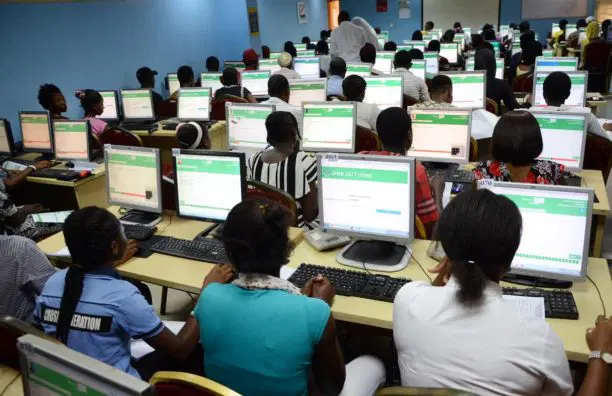
The results of JAMB UTME results would be released every twenty-four (24) hours after the test.
This means that if you wrote your exam yesterday,the results would be out by the evening of Friday, as promised by JAMB.
However, the question of “How do I check my result?” will be your next thought after completing your JAMB UTME test.
ENigeria Newspaper has summarized a process of how you can precisely check your JAMB UTME result, what to do in the event of an issue, and how to interpret the results.
Two ways to check your JAMB UTME result
SMS method (Quicker, no internet needed)
If you only want the score without printing anything, this is the fastest way to view it.
Open the messaging app on your phone and enter UTMERESULT.
Type it precisely that way, with no spaces between words and all capital letters.
Forward this message to 55019.
Sending from the same phone number that generated your profile code is required. The system won’t recognize you and won’t send your result if you send from a different number.
Your airtime will be reduced by ₦50. Before sending, make sure you have at least ₦100.
You will receive an SMS with your total score and your scores in each of the four subjects within two to five minutes. Take a screenshot or save the message right away.
Online method (For printing your JAMB UTME result)
In case you want print this JAMB UTME result slip for record-keeping or university screening, use this procedure.
Go to https://slipsprinting.jamb.gov.ng/CheckUTMEResults using any browser on your PC or phone.
A login page requesting your information will appear. Enter the JAMB registration number (such as 10123456HG) that begins with the year of your exam.
Enter the email address you used to register if you can’t recall your registration number.
Click “Login” or “Check Result” according on the portal you are using.
Your outcome is displayed on the screen as follows: your entire name, the number you registered with, every subject and your score, your overall score on a scale of 400, and your exam location.
Click the “Print Result” button to print your result. The cost of printing is ₦500, which you can pay with a debit card or other online payment options on the portal.
What happens when you do not see your JAMB UTME result
When you see the following, your JAMB UTME result does not show. But this is what each of them might mean;
“Invalid Login Details” – This means that you have entered the incorrect email address or registration number. Verify what you’re typing again. The format of your registration number is as follows: two digits for the year, followed by six or seven digits, followed by two letters (for instance, 26123456HG).
Visit any JAMB office with your examination slip or profile code to get your registration number or email if you truly can’t recall them.
“Result Withheld Pending Upload of Documents” – This means that your account has been detected by JAMB, and more documentation is required for verification. To find out exactly what documents they are requiring, log into your JAMB profile on the efacility site. O’Level results, birth certificates, or other verification documents are typically used.
“Result Not Yet Available” – When JAMB hasn’t completed processing your specific exam session, this message shows up. Your outcome is on the way; it’s just not ready yet. Return every six hours. The majority of “not yet available” results show up in 24 to 72 hours.
“Candidate Absent” – This shows up when JAMB’s system indicates that you were not present for the test. What happened, though, since you are aware that you took the test? This typically indicates that something went wrong with the biometric verification process during your exam. It is possible that a system error occurred at your center or that your fingerprints were not properly recorded.
Bring your examination slip to the closest JAMB office and describe the circumstances. They’ll look into it and find a solution. Don’t wait around the house in the hopes that it would resolve itself.